.png?width=200&height=59&name=IPTellogo-byline-2020-dark-v2-pnd-optimised-500%20(1).png "IPTellogo-byline-2020-dark-v2-pnd-optimised-500 (1)")
Have you ever needed to convert a MAC address from AABBCCDDEEFF format (or from AAAA.BBBB.CCCC), to get your output to be AA:BB:CC:DD:EE:FF?
Here's our free tool to do just that.
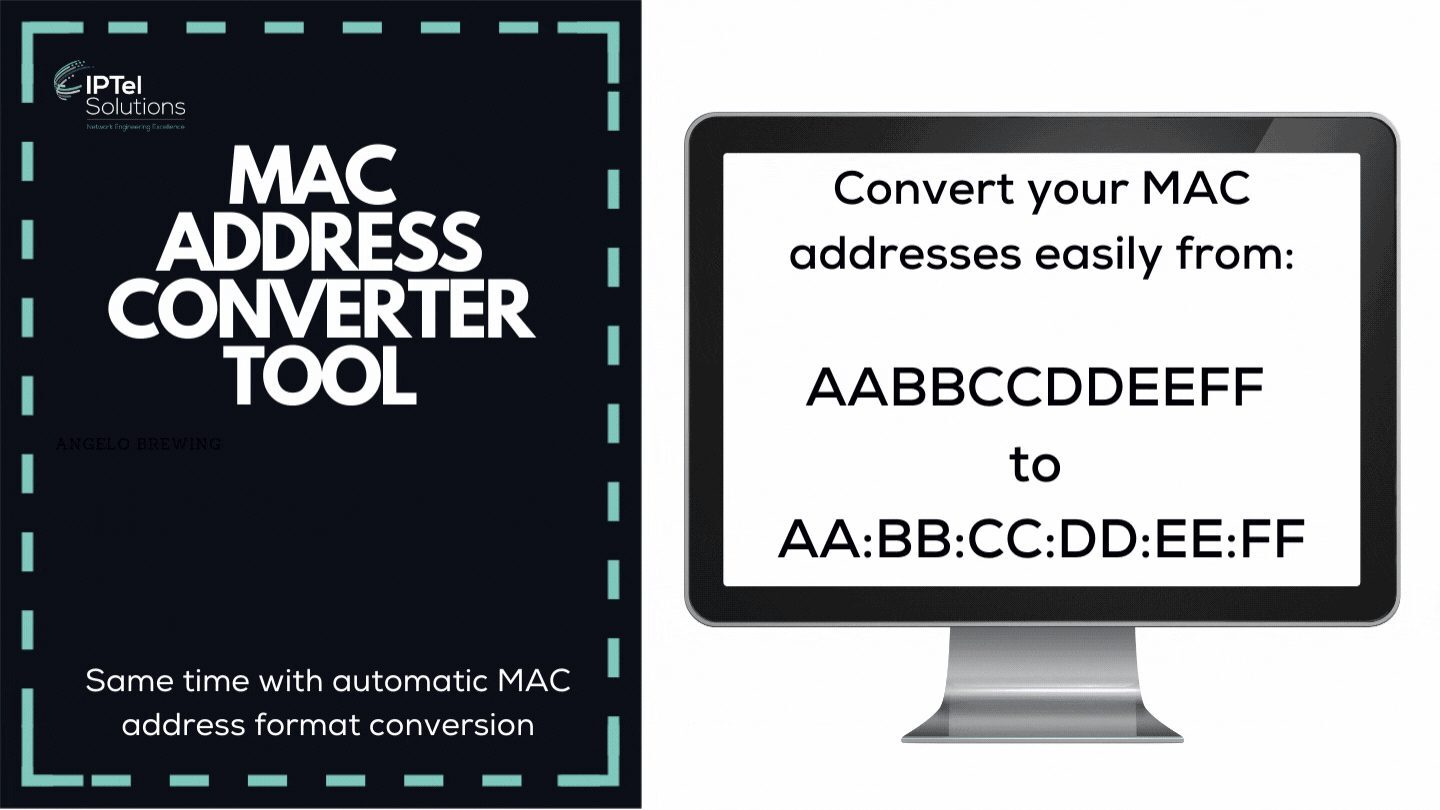
IPTel Solutions' MAC Address Conversion Tool
Ever needed to convert a multitude of different style MAC addresses to the format required for upload to Cisco Prime (which is in the format aa:bb:cc:dd:ee:ff )?
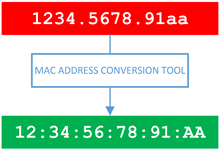
Maybe you just take a bunch of MAC addresses and format them in the same way? This tool is here to help.
Here are the formats that the tool can convert:
- AABBCCDDEEFF format to be AA:BB:CC:DD:EE:FF
- AAAA.BBBB.CCCC format to be AA:BB:CC:DD:EE:FF
OTHER READING:
How to Access the MAC Address Converter Tool
The MAC Address Converter tool can be found from this link:
The tool is pretty simple, but offers a time saving way of ensuring all your MAC addresses are formatted the same, prior to using them for a CSV import.
Cisco Prime MAC Address Conversion
Cisco Prime is being replaced by Cisco Catalyst Center, but is still a key use case for the MAC converter tool.
.gif?width=210&height=210&name=Wi-Fi%206%20CIO%20Briefing%20(Instagram).gif) Prime needs to use MAC addresses in the format AA:BB:CC:DD:EE:FF for naming access points.
Prime needs to use MAC addresses in the format AA:BB:CC:DD:EE:FF for naming access points.
Note at the outset that Prime is less picky than it used to be when uploading CSVs with MAC addresses – so worth trying first if you are running a fairly recent version.
If you get issues, run the MAC addresses through this tool and re-paste into your CSV.
OTHER READING:
Enter MAC Addresses for Conversion
The base entry screen is shown below - enter your MAC addresses and click the convert button. You can copy and paste into the tool if you want to convert a bunch of entries at once:

MAC Address Converter Tool - Entry screen
Output from the MAC Address Converter Tool
The example below details a number of sample MAC addresses in different formats being pasted into the tool. Click the convert button and they're all changed to the quad hex digit format, separated by full stops. Note the tool does not check you have entered valid hex digits or enough characters (12 for a MAC address) - so just make sure you have the basics covered.
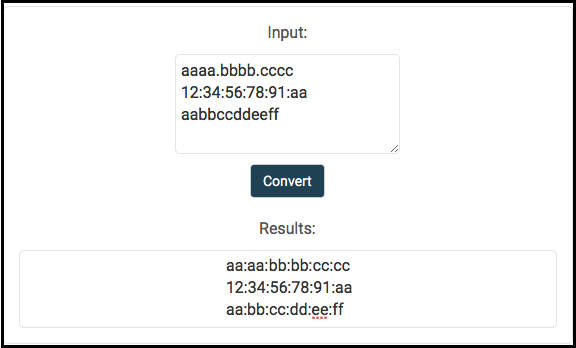
Output from the MAC Address Converter Tool
The output from the random different input formats is a consistent four digit dotted hex (aaaa.bbbb.cccc). Once updated, use the output in your CSV for upload to Prime.
MAC Address Converter: FAQs
What MAC Address Formats Does the Tool Support?
It converts between common formats, including AABBCCDDEEFF, Cisco's dotted AAAA.BBBB.CCCC and colon-separated AA:BB:CC:DD:EE:FF.
Can I Convert Multiple MAC Addresses at Once?
Yes. Paste a list with one MAC address per line and the tool converts them all, flagging any lines that aren't valid MAC addresses.
Is the MAC Address Converter Free?
Yes, it's free to use on the IPTel website.
Why Do MAC Address Formats Differ?
Vendors and tools display MAC addresses in different formats, so copying between the Cisco CLI, management platforms and spreadsheets often needs a conversion.
MAC Address Converter Tool: Summary
Thanks for using the MAC Address Converter Tool. Hopefully it helps you in your networking life to easily and quickly convert MAC addresses into the format you need.
If you're interested in some technical reading, there are a few of our blogs in the links just below - hope they're of use!
Liability Disclaimer
We supply the tools on this website free of charge for the wireless community use. Note with all our tools the liability disclaimer - we do our best to make these tools as useful as we can, but accept no liability for their use or misuse:
https://www.iptel.com.au/terms-and-conditions
If you have any questions relating to MAC address conversion or your Wi-Fi contact us.
Talk to an IPTel Engineer
IPTel is a Cisco Preferred Partner designing, deploying and managing networks across Australia. If you'd like to talk about your network, get in touch with the IPTel team or email sales@iptel.com.au.