The Cisco Meraki Dashboard is Meraki's cloud console: one browser login at dashboard.meraki.com to configure, monitor and troubleshoot every Meraki access point, switch, security appliance, camera and sensor across all your sites. There's no on-premises controller to run, and the dashboard is included with Meraki device licensing.
Cloud networking removes the need for a console cable to get equipment running. You configure devices remotely before deployment, and each device downloads its config when it first connects, so equipment can ship straight to site.
The Meraki Dashboard is the entry point for Meraki cloud networking and provides an in-built, cloud-hosted Network Management Interface for configuring and monitoring all Meraki network devices.
Is Meraki Right for Your Network? The free IPTel Network Assessment scores your network and includes a platform-fit check for Cisco Meraki versus Catalyst. Prefer to see it live? Book a Free Meraki Demo.
Related Guides: Cisco Meraki Wireless Overview · Meraki MX · Meraki Reporting
Meraki Dashboard Layout
The Dashboard is the single point of management for Meraki networks, allowing visibility and manageability from Internet edge (latency) through to Access Point clients and CCTV cameras.
Meraki Wi-Fi, Switching, Cameras and Security Appliances can all be managed via the GUI.
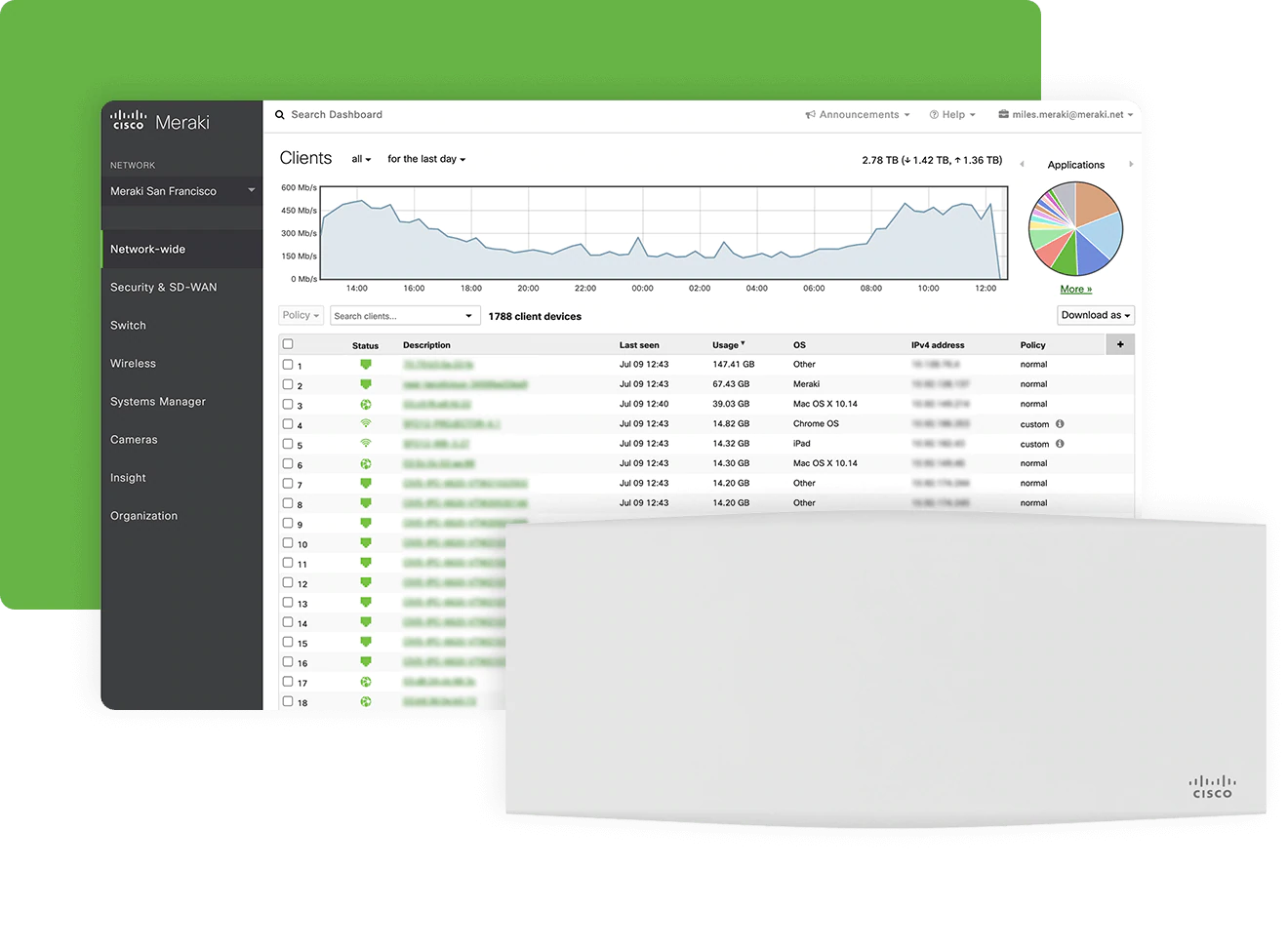
The image below shows the overview, allowing you to access all the network devices you have (on the left hand side) and seeing live statistics on devices and clients in the centre:
Meraki Dashboard Device Grouping
The Meraki dashboard is easy to navigate, with devices grouped into networks (effectively sites), and there are multiple network types under each.
You can view each of your technology types separately (e.g. Wireless, Appliance etc) or in a combined view, see them all together.
To help with larger rollouts, networks can be cloned or templated for easy deployment (allowing settings to be replicated between sites/networks).
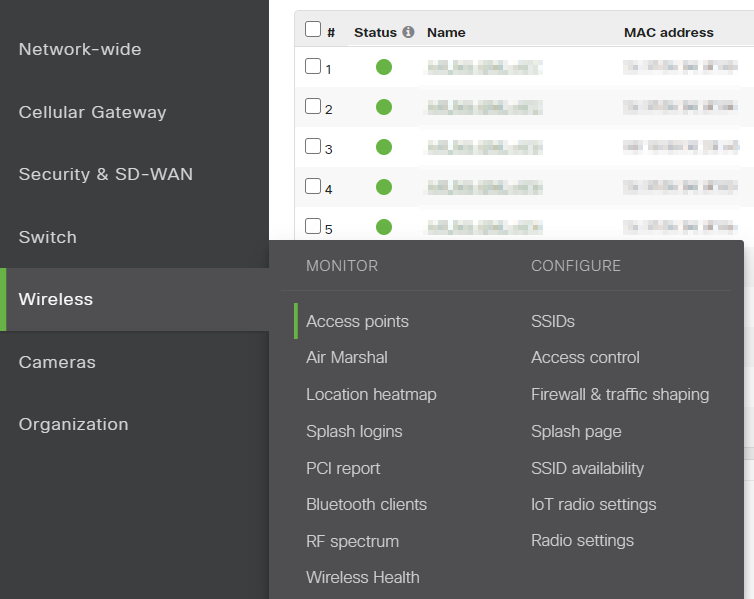
For network monitoring, each technology tab has "monitor" and "configure" tabs which create a logical flow for network management.
Meraki Dashboard Client View
Detailed network information is visible from each Monitor tab.
As soon as network devices are able to reach the Meraki Dashboard, network and client health information is automatically presented without any configuration required:
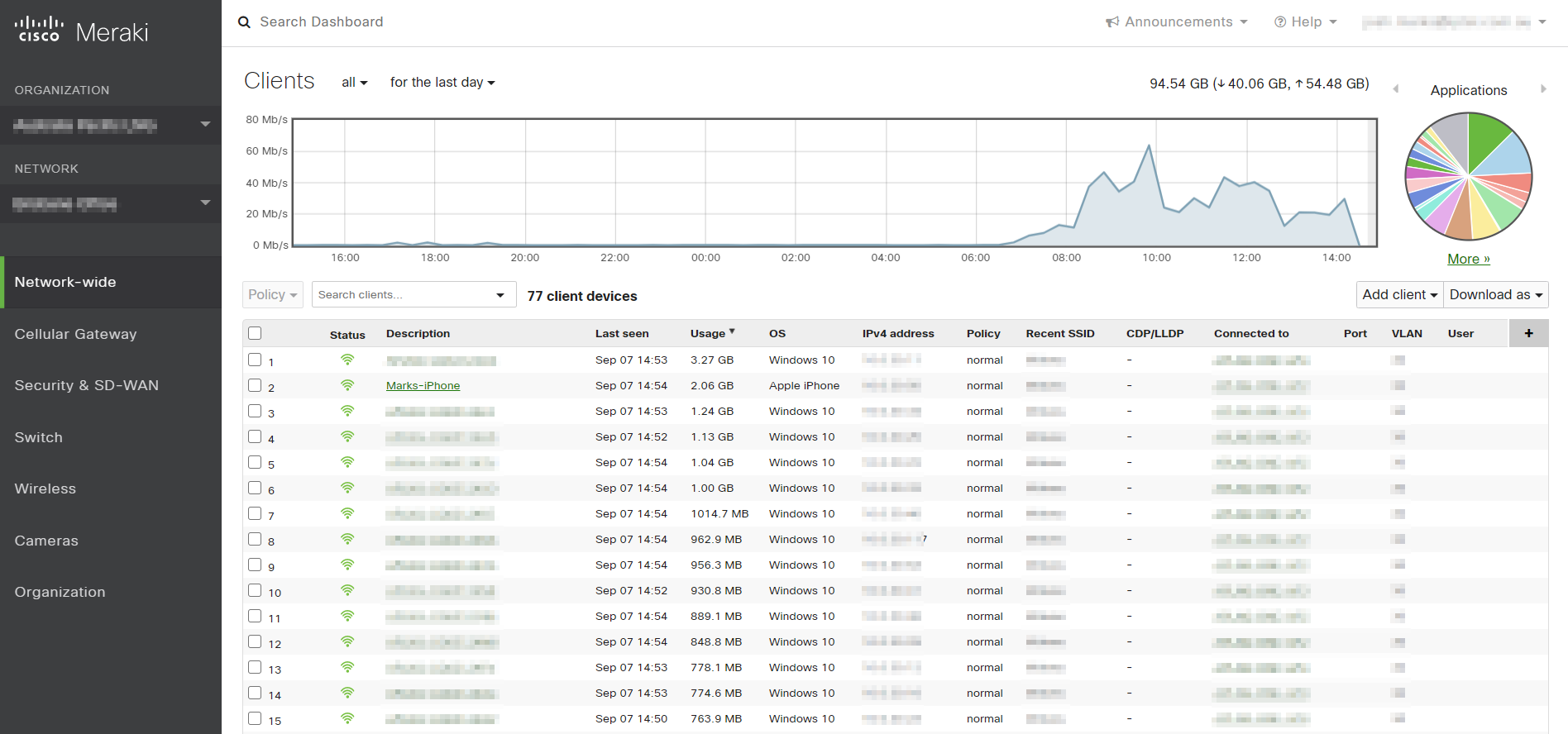
The option exists to configure network events that will trigger email alerts to network admins, or specific individuals if required. This is pretty handy, as it allows you to set and forget - the network looks after itself and sends alerts when issues occur.
Meraki is also the perfect technology for Managed Services - the ability to have a central view across sites and customers makes Meraki ideal for this.
Cisco Meraki Dashboard: FAQs
What Is the Cisco Meraki Dashboard?
The Meraki Dashboard is Cisco Meraki's browser-based cloud console. From one screen you configure, monitor and troubleshoot Meraki wireless, switches, security appliances, cameras and sensors across every site, with no on-premises controller to maintain.
How Do I Log In to the Meraki Dashboard?
Go to dashboard.meraki.com and sign in with your Meraki account. Accounts are created by an organisation administrator, and the dashboard supports multi-factor authentication and SAML single sign-on.
Is the Meraki Dashboard Free?
There's no separate charge for the dashboard itself. It's included with Meraki device licensing, and every device needs a current licence to keep working, so licence renewals are worth tracking.
What Does Meraki Licensing Cost?
Licence cost depends on three things: the device model and licence tier (for example Enterprise or Advanced Security on MX appliances), the term you buy, and the licensing model on your organisation (co-termination, per-device or subscription). Longer terms cost less per year. We can review your current licences, line up renewal dates and quote the options. Request a quote or email sales@iptel.com.au.
Can One Meraki Dashboard Manage Many Sites?
Yes. An organisation holds as many networks (sites) as you need, and templates, tags and organisation-wide views let you manage hundreds of sites consistently from the same login.
Meraki Dashboard: Summary
The Meraki dashboard is there to make life simple. Access to all your networking equipment from one location means you can be remote and have control of all your sites.
 The ability to pre-configure devices in the cloud and they download their config when they first connect means that equipment can be sent directly to site, which can save a massive amount of time.
Though the default Dashboard is a formidable NMS, additional configuration options make it highly flexible and configurable.
The ability to access the Meraki API, for example, opens up a world of opportunity.
Overall, Meraki has a great offering - simple, intuitive and accessed via the internet - Meraki has brought a level of ease and simplicity to networking that will be celebrated by network administrators.
If you're after a few tips and tricks in the Wi-Fi space, have a look at our Top 8 Secrets to Great Wi-Fi eBook.
Need Help With Cisco Meraki?
Our engineers design, deploy and manage Cisco Meraki networks across Australia, including managed Meraki services. Australian organisations can also book a free Meraki demo. If that would be useful, get in touch with the IPTel team or email sales@iptel.com.au.
Meraki Made Simple: Meet Dave
Want to hear more about Meraki?