.png?width=200&height=59&name=IPTellogo-byline-2020-dark-v2-pnd-optimised-500%20(1).png "IPTellogo-byline-2020-dark-v2-pnd-optimised-500 (1)")
Remember when VoIP came along and phone calls stopped needing their own dedicated lines, running instead over the same network cable as everything else?
The same shift is now happening to meeting rooms. Cameras, mics and speakers are all moving onto the network. It's called AVoIP (Audio Visual over IP), and if you're the person buying or looking after meeting rooms and video conferencing gear, this blog will provide an easy explainer.
AVoIP: Only needs one Cable
A camera used to need separate cables for power, video (HDMI), audio and control. With AVoIP, it runs off one standard Ethernet cable.
.png?width=240&height=240&name=Meeting%20Rooms%20as%20a%20Service%20(Instagram%20Post).png) Plug it in, and it's on the network and working. Most AVoIP equipment runs on Power over Ethernet (PoE) too, so there's no specialist AV cabling, no power injector sitting under a table somewhere, and no extender because the cable run was two metres too long.
Plug it in, and it's on the network and working. Most AVoIP equipment runs on Power over Ethernet (PoE) too, so there's no specialist AV cabling, no power injector sitting under a table somewhere, and no extender because the cable run was two metres too long.
This simplification is a good thing - the cameras and devices now run from standard network ports and integrate with your network, so making them simple to deploy and monitor.
For your end users, everyone wants a good meeting experience, and options such as Cisco's Desk Pro offer a neat solution for that personal and dedicated meeting experience.
AVoIP: Meeting Room Setup
Why does that matter to you? Cost and time, mostly. Fewer cables mean a cheaper, faster install. There are a lot fewer moving parts, fewer cables to damage, and a lot less that can go wrong on install day.
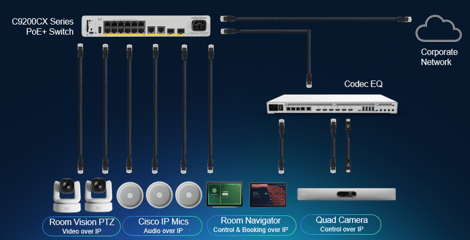
For one room, that's a nice-to-have. Roll it out across fifty rooms, a whole campus, or a new office fit-out, and that difference in install time and cabling cost stops being nice-to-have and starts being the number that gets noticed.
It also makes scaling easy. Need another camera for a bigger room, or a couple more microphones for an extendable one? Plug it into the network. Done. No re-cabling, no re-planning the room from scratch.
We can help too, if you need setup of your meeting room, with dedicated services or meeting room managed services.
Pro-Tip: Adding endpoints to the network is easy, but it's not free. More AVoIP gear per room means more PoE budget and switch ports to account for, especially once you're scaling across a whole floor. Worth checking your switch capacity before you commit to fifty rooms of it.
Then there's management and monitoring, which is honestly the bigger win for IT teams. Because everything's on the network, it can all be watched from one place: Cisco Control Hub. Camera health, mic status, screen performance, all in one dashboard, for every room across every building. That's fewer site visits, faster troubleshooting, and a lot less standing in a meeting room squinting at a camera trying to work out why it isn't responding.
Cisco Room Vision PTZ Camera
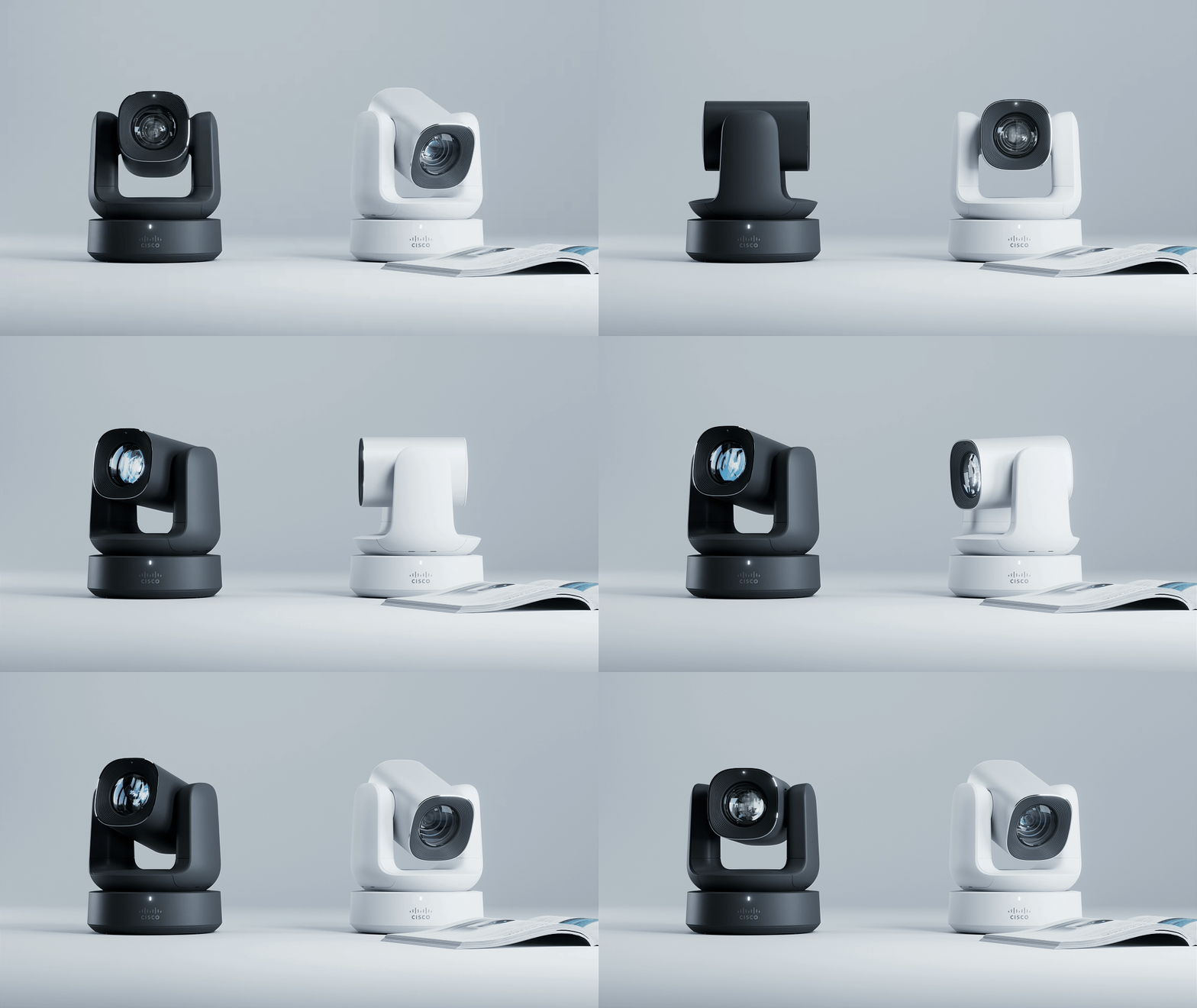
Cisco's Room Vision PTZ camera is a good example of what this looks like in practice. One cable gives it power, video and control.
It does AI-powered tracking, plugs into the network like everything else, and gets managed the same way.
None of this is flashy. But cable clutter, slow installs, and no visibility into your rooms and peripherals are genuinely annoying problems, and AVoIP quietly fixes all three.
AVoIP: Summary
Meeting room equipment is going through the same shift phone calls went through when VoIP arrived.
Cameras, mics and speakers are moving onto the network, and that one change stacks up fast. One cable in means simpler, cheaper installs. Scaling a room, or fifty of them, means plugging in new gear rather than re-cabling from scratch. And because it's all on the network, it's all visible from one dashboard in Control Hub, instead of someone standing in a room squinting at a camera. None of it is flashy, but cable clutter, slow installs and no visibility are real problems, and AVoIP quietly deals with all three.
Need a Hand With Your Meeting Rooms?
If you want to know more about how AVoIP can give you a better meeting room experience, cheaper installs, and far greater visibility and monitoring, get in touch with the IPTel team.
AVoIP: FAQs
What Is AVoIP?
Audio-visual over IP — sending audio, video and control signals over a standard IP network instead of dedicated AV cabling.
What Are the Benefits of AVoIP?
Simpler cabling — often a single network cable per device with PoE — plus easier expansion and central management.
Does AVoIP Need a Special Network?
It needs a well-designed network with enough bandwidth, PoE and quality of service, and sometimes multicast support.
How Is AVoIP Used in Meeting Rooms?
Cameras, microphones and codecs connect over the network, so rooms can be reconfigured and extended without running new AV cables.
Need Help With Collaboration?
IPTel designs and manages Webex Calling and managed meeting rooms. If that would be useful, get in touch with the IPTel team or email sales@iptel.com.au.